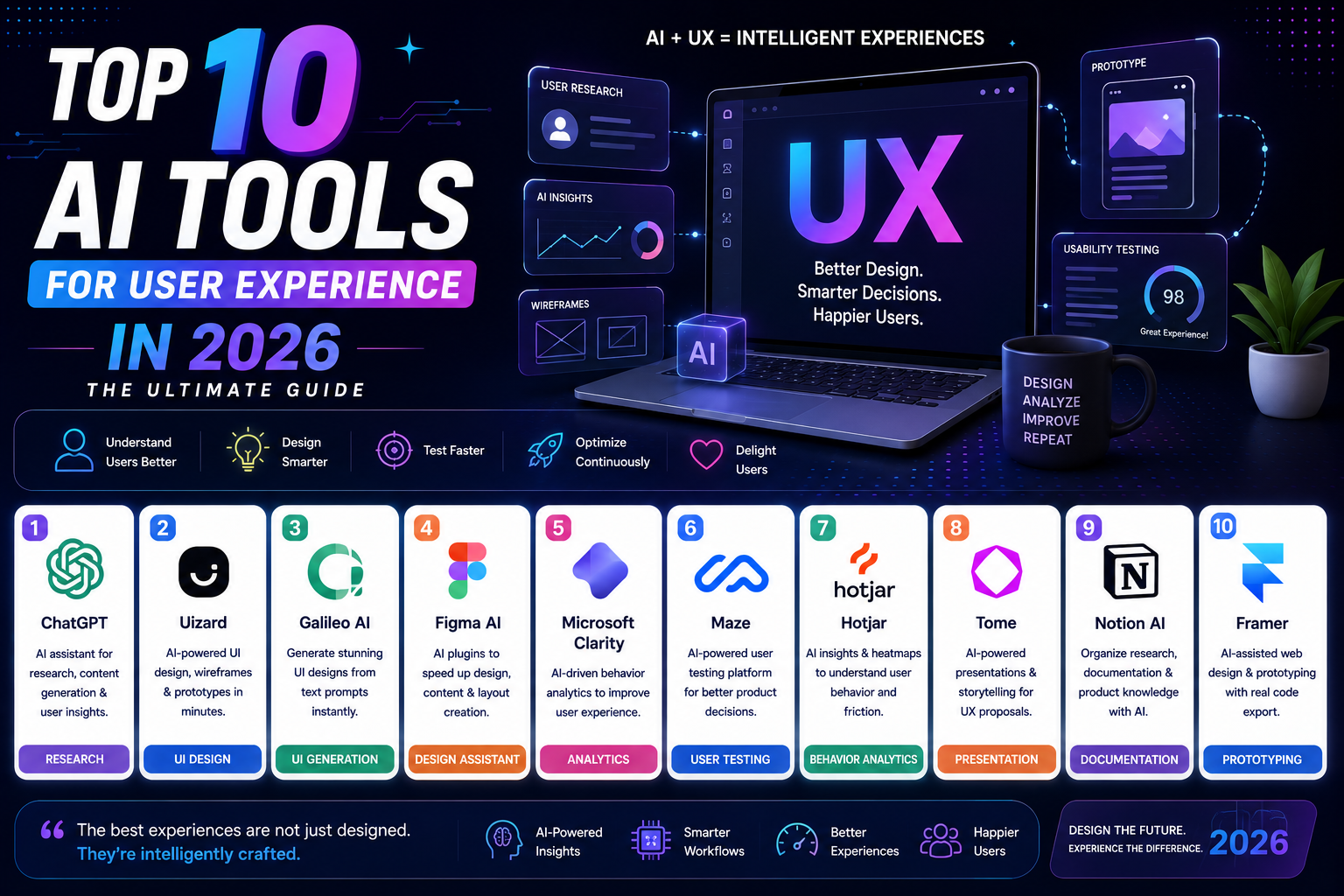
Introduction: The New Era of AI-Driven Interface Design
User Interface (UI) design has undergone a profound transformation. What once required hours of manual screen crafting, micro-adjusting layout grids, and assembling component libraries can now be initiated in seconds through natural language prompts, smart layout engines, and generative AI platforms.
Artificial intelligence in 2026 is no longer just generating static mockups or novelty graphic elements. Today’s top AI tools for interface design understand context, follow atomic design systems, maintain cross-screen consistency, and emit production-ready code components directly into design ecosystems or development environments.
Whether you are a senior product designer expanding your workflow, a developer looking to craft clean frontend mockups, or a startup founder prototyping a new SaaS concept, picking the right AI tool is crucial. Below is the definitive guide to the top 10 AI tools for interface design in 2026.
Summary Comparison Table
| AI Tool | Primary Focus | Best For | Standout UI Design Feature |
| Figma AI (Figma Make) | Native UI Ecosystem & Prototyping | Collaborative Product Teams | Prompt-to-app interactive screens & automatic auto-layout cleanup |
| Uizard | Rapid Prototyping & Sketch Conversion | Non-designers, Product Managers & Founders | Converts paper sketches and text prompts into multi-screen UI flows |
| Google Stitch | Prompt-to-UI & Design Systems | Designers & Developers | Generates structural UI screens complete with design tokens & color scales |
| UX Pilot | End-to-End Product Design & Wireflows | UI/UX Designers using Figma | Pixel-perfect Figma-integrated layout generation from prompts |
| Vercel v0 | Code-First UI Generation | Frontend Developers & Full-Stack Engineers | Generates React, Tailwind CSS, and Shadcn/ui code components |
| Framer AI | Responsive Web UI & Live Publishing | Web Designers & Marketing Teams | Generates production-ready, publishable responsive web layouts |
| Visily | Collaborative Wireframing & App Mockups | Product Managers & Agile Teams | Converts screenshots and diagrams into editable wireframes |
| Relume AI | Web UI Sitemaps & Component Wireframes | Web Design Agencies | Generates full site architecture and exports Figma/Webflow kits |
| Motiff | AI-Assisted Professional Design Systems | Design System Engineers | Automatically identifies pattern inconsistencies and builds UI kits |
| Flowstep | Multi-Screen AI Design Engineering | SaaS Product Designers | Maintains strict cross-screen UI token consistency for complex apps |
In-Depth Analysis: Top 10 AI Tools for Interface Design
1. Figma AI (featuring Figma Make)
             +------------------------------------+
             |            Figma AI                |
             +------------------------------------+
             | • Prompt-to-Screen Generation      |
             | • One-Click Auto-Layout Cleanups   |
             | • Context-Aware Layer Renaming     |
             | • Direct MCP & Code Handoff        |
             +------------------------------------+
Overview:
Figma remains the industry-standard design platform, and its natively integrated AI suite ensures designers do not have to leave their primary workspace. Through features like Figma Make, designers can construct interactive UI screens, adjust typography scales, generate localized microcopy, and organize unstructured frames using simple natural language prompts.
Key Features:
-
Figma Make: Generates complete UI screen flows from textual prompts directly on the Figma canvas.
-
Auto-Layout & Layer Cleanup: Automatically renames messy layers, adjusts padding, and applies auto-layout constraints in a single click.
-
Design System Integration: Synthesizes screens using your workspace’s established local design tokens, variants, and component libraries.
Best For: Collaborative design teams and product organizations deeply embedded in the Figma ecosystem.
-
Pros: Zero context-switching, clean layer output, native integration with design systems.
-
Cons: Generative accuracy relies on properly structured underlying UI kits.
2. Uizard
Overview:
Uizard is an accessible AI-first UI generation platform designed to democratize screen creation. It allows non-designers, product managers, and founders to convert natural language descriptions, uploaded mobile app screenshots, or napkin paper sketches into editable, multi-screen UI wireframes and clickable prototypes.
Key Features:
-
Sketch-to-Screen Engine: Scans paper sketches or whiteboard drawings and converts them into editable vector wireframes.
-
Autodesigner: Produces multi-screen user flows from simple textual prompts.
-
Theme Generator: Extracts color palettes and typography systems from reference screenshots to apply uniform styling across screens.
Best For: Rapid prototyping, early-stage startup validation, and non-designers needing quick visual concepts.
-
Pros: Incredibly fast onboarding, versatile input modes (sketches, images, text).
-
Cons: Less granular control over complex responsive constraints compared to traditional design tools.
3. Google Stitch
Overview:
Google Stitch is an AI-powered UI design tool built on Google’s advanced multimodal models. It specializes in translating prompt briefs into structured, token-driven interface screens while simultaneously generating clean frontend code for developer handoff.
Key Features:
-
Design Token Generation: Automatically establishes semantic color schemes, typography hierarchies, and spacing rules for generated screens.
-
Prompt Iteration: Allows designers to refine layouts using conversational chat adjustments.
-
Direct Export: Enables seamless export to editable design formats and code frameworks.
Best For: Product designers and developers seeking structured, system-first UI mockups from text prompts.
-
Pros: Strong structural design logic, consistent UI tokens, high visual fidelity.
-
Cons: Custom component customization requires manual post-generation tweaks.
4. UX Pilot
Overview:
UX Pilot acts as a direct bridge between initial product requirements and final interface designs. It allows designers to generate wireframes, high-fidelity UI layouts, and complete user flows, operating seamlessly via a dedicated plugin ecosystem directly inside Figma.
Key Features:
-
Figma Component Sync: Imports your team’s existing Figma components so the AI generates screens adhering to your exact design guidelines.
-
Predictive Attention Heatmaps: Analyzes interface hierarchy to predict visual attention areas before launching user testing.
-
Section-by-Section Editing: Allows targeted prompt editing of specific UI components without affecting the rest of the canvas.
Best For: UX/UI designers who want AI screen generation that operates within their established Figma libraries.
-
Pros: Respects existing design tokens, generates cohesive multi-screen user flows.
-
Cons: Full feature unlock requires a paid subscription tier.
5. Vercel v0
Overview:
Vercel v0 approaches interface design from a code-first perspective. Rather than generating static design vector frames, v0 creates interactive UI components built directly with modern web frameworks like React, Tailwind CSS, and Shadcn/ui.
Key Features:
-
Interactive Chat-to-Code: Iteratively refine UI elements (e.g., “Add a search bar with filter chips to this table”) using conversational prompts.
-
Production-Ready Code: Outputs clean, accessible code that developers can copy and paste directly into React codebases.
-
Component-Level Focus: Ideal for designing complex dashboard widgets, data tables, navigation bars, and landing page hero sections.
Best For: Full-stack developers, design engineers, and technical founders building production web interfaces.
-
Pros: Zero handoff friction for developers, modern styling paradigms, fully accessible components.
-
Cons: Less suitable for traditional vector graphic designers who do not work with React code.
6. Framer AI
Overview:
Framer AI turns interface prompts into production-ready, publishable websites. By combining visual canvas editing with powerful generative tools, Framer AI builds fully responsive layout structures complete with animations, copy, and visual styling.
Key Features:
-
Instant Responsive Layouts: Automatically generates desktop, tablet, and mobile versions of your interface simultaneously.
-
Built-in Motion and Effects: Applies smooth hover effects, scroll-triggered animations, and micro-interactions automatically.
-
One-Click Publishing: Transforms designed interfaces into live web pages hosted on Framer’s global infrastructure.
Best For: Web UI designers, marketing agencies, and freelancers building high-impact web interfaces.
-
Pros: Smooth visual motion design, effortless web publishing, clean responsive controls.
-
Cons: Best suited for web interfaces rather than native mobile app UI logic.
7. Visily
Overview:
Visily is an AI-powered wireframing and UI mock-up tool built specifically for agile product teams and non-design specialists. It offers multiple input modes to convert rough ideas into clean, editable screen wireframes.
Key Features:
-
Multi-Input Wireframing: Transforms screenshots, hand-drawn diagrams, or text briefs into structured UI mockups.
-
Smart Template Matching: Recommends industry-standard layout patterns for dashboards, onboarding flows, and settings menus.
-
Real-time Team Collaboration: Multi-user editing features designed for rapid iteration during product planning sessions.
Best For: Product managers, business analysts, and cross-functional software teams.
-
Pros: Generous free plan, extremely fast setup, easy wireframe sharing.
-
Cons: Visual styling output is focused on functional wireframes rather than high-end visual design polish.
8. Relume AI
Overview:
Relume AI is a web-focused interface architecture tool. It helps design teams build the complete structural layout of a website—from automated sitemaps down to detailed section wireframes—before exporting those components directly into design or site-building platforms.
Key Features:
-
AI Sitemap Generator: Outlines the architecture of multi-page websites based on a simple project description.
-
Component Wireframe Library: Assembles page structures using thousands of pre-built, responsive web section patterns.
-
Figma & Webflow Export: Exports generated wireframes directly to Figma design files or Webflow components in seconds.
Best For: Web design agencies and UX architects handling website structure and content wireframing.
-
Pros: Eliminates structural layout planning time, excellent Webflow and Figma export workflows.
-
Cons: Specifically designed for web pages rather than complex, stateful web applications.
9. Motiff
Overview:
Motiff is an AI-native interface design tool created specifically to streamline professional design system management. It analyzes UI screens to detect component inconsistencies, automatically build standardized UI libraries, and enforce layout discipline across large design teams.
Key Features:
-
AI Design System Creator: Scans unstructured interface frames and automatically extracts color tokens, typography scales, and recurring components.
-
Inconsistency Inspector: Flags visual discrepancies (e.g., mismatched padding, rogue hex codes) that violate project design rules.
-
Pre-Built System Libraries: Native integration with established frameworks like Material Design, Ant Design, and Shadcn.
Best For: Design system engineers, enterprise design teams, and UI maintainers managing large digital products.
-
Pros: Excellent for design system governance, lowers file maintenance overhead.
-
Cons: Less focused on initial prompt-to-image artwork creation.
10. Flowstep
Overview:
Flowstep is an AI “design engineer” tool created to solve the challenge of cross-screen UI consistency. When generating multi-screen application flows, Flowstep ensures that sidebars, button states, typography hierarchies, and spacing grids remain identical across every generated view.
Key Features:
-
Multi-Screen Entity Modeling: Keeps track of app state, user roles, and UI components across login, dashboard, and settings screens.
-
Instant Figma Clipboard Sync: Allows designers to copy generated screens directly to their system clipboard and paste editable frames directly into Figma.
-
React & Tailwind Export: Produces clean frontend code that reflects the exact visual layout generated on screen.
Best For: SaaS product designers building complex, multi-screen application workflows.
-
Pros: Exceptional cross-screen layout consistency, seamless Figma copy-paste workflow.
-
Cons: Smaller community ecosystem compared to established design legacy tools.
Key Benefits of Using AI in Interface Design
Adopting AI-driven tools in your UI workflow delivers tangible advantages across the design cycle:
-
Faster Ideation and Concept Exploration: Designers can explore dozens of layout variations in minutes, bypassing the friction of starting from a blank canvas.
-
Automated Design System Maintenance: AI engines eliminate tedious layer-renaming, token mapping, and alignment adjustments automatically.
-
Cross-Screen Consistency: Advanced multi-screen AI models ensure that color scales, typography hierarchies, and button variants stay unified across complex app flows.
-
Narrowing the Design-to-Development Gap: Tools that output React, Tailwind CSS, or Shadcn components allow design intent to translate cleanly into production frontend code.
How to Select the Best AI Tool for Your UI Workflow
To maximize efficiency, choose an AI platform tailored to your specific role and project requirements:
-
For In-House Figma Design Teams: Choose Figma AI or UX Pilot to leverage existing design systems without changing platforms.
-
For Developers & Technical Founders: Opt for Vercel v0 or Google Stitch for code-ready components and token-first interfaces.
-
For Web & Marketing Agencies: Use Framer AI or Relume AI to build responsive web page wireframes and publish live sites rapidly.
-
For Rapid Wireframing & Non-Designers: Utilize Uizard or Visily to transform sketches and briefs into functional visual prototypes.
Conclusion
Artificial intelligence has evolved into an essential co-pilot for modern interface design. Far from replacing the creative vision of designers, AI tools eliminate repetitive mechanical tasks, enforce design system discipline, and accelerate the transition from concept to functional product. By integrating the right combination of prompt-to-UI generators, layout optimizers, and code-ready UI tools into your stack, you can create higher-quality, user-centered digital interfaces at unprecedented speed.
Penulis: W.S







Post Comment