
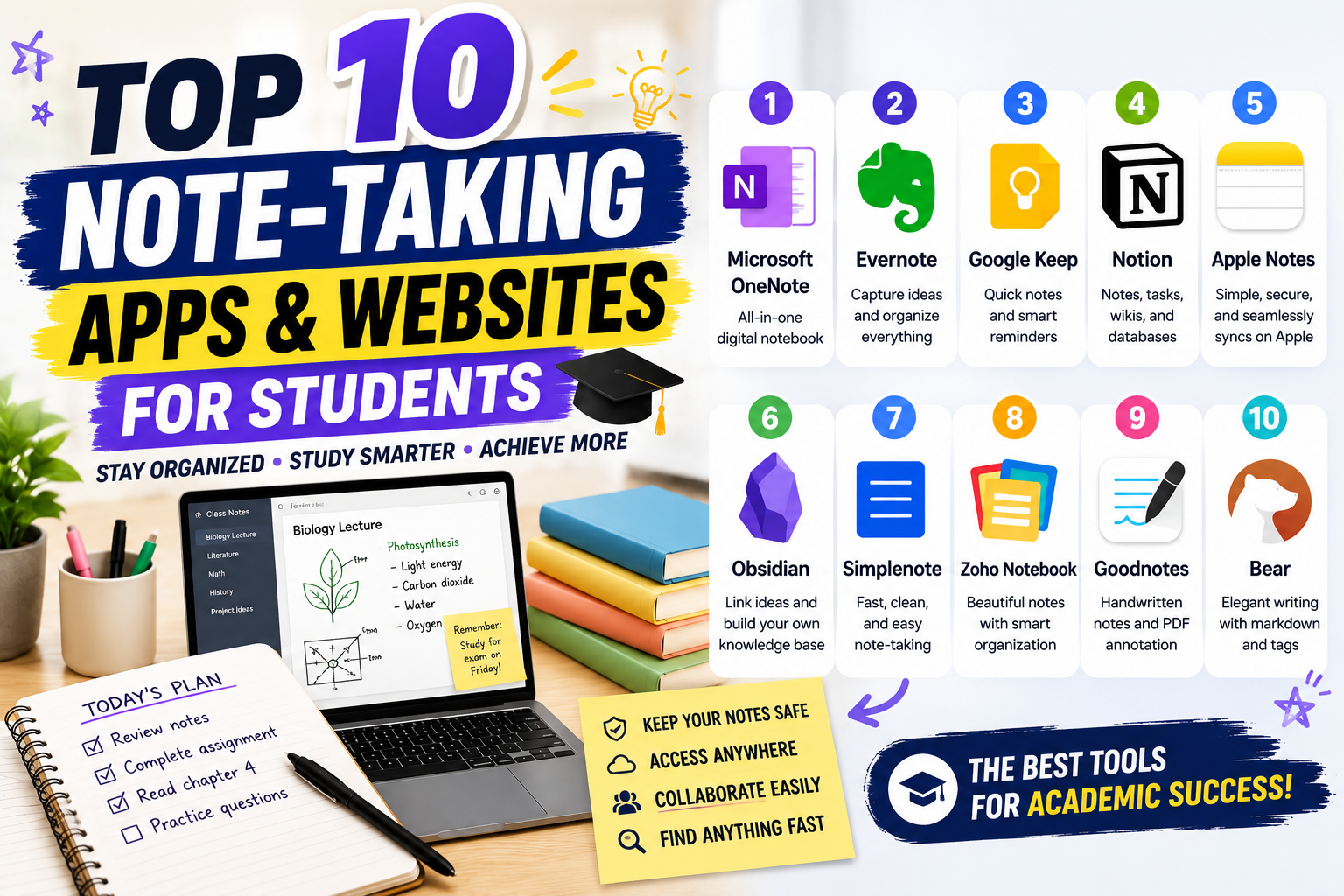
Taking effective notes is one of the most important habits for academic success. Whether you’re attending online classes, participating in lectures, conducting research, or preparing for exams, having a reliable note-taking app can help you stay organized and productive. Modern note-taking tools offer far more than simple text editing—they include cloud synchronization, multimedia support, task management, collaboration features, and AI-powered organization.
In this guide, we’ll explore the Top 10 Note-Taking Apps and Websites for Students, comparing their features, strengths, and ideal use cases to help you choose the best solution for your study needs.
Why Use a Digital Note-Taking App?
Traditional notebooks are still useful, but digital note-taking offers flexibility and convenience that paper simply cannot match. With cloud-based apps, your notes remain accessible across smartphones, tablets, laptops, and desktop computers.
Some key benefits include:
- Access notes anywhere
- Automatic cloud backup
- Easy organization with folders and tags
- Fast search functionality
- Multimedia support
- Real-time collaboration
- Cross-device synchronization
These features make studying more efficient and reduce the risk of losing important class materials.
1. Microsoft OneNote
Microsoft OneNote remains one of the most comprehensive note-taking applications available for students.
Key Features
- Free-form notebook layout
- Handwriting support
- Audio recording
- Cloud synchronization
- Microsoft 365 integration
- Cross-platform compatibility
Students can organize notes into notebooks, sections, and pages, making large projects easier to manage.
2. Evernote
Evernote has long been a favorite among students, researchers, and professionals.
Highlights
- Powerful note organization
- Web clipping tool
- Document scanning
- Rich text editing
- Cross-device syncing
Its advanced search capabilities make finding information quick and simple.
3. Google Keep
Google Keep offers a lightweight and intuitive approach to note-taking.
Why It Stands Out
- Color-coded notes
- Voice memos
- Image notes
- Reminder integration
- Google Workspace compatibility
It’s perfect for capturing quick ideas, study reminders, and to-do lists.
4. Notion
Notion combines note-taking with project management and database functionality.
Features
- Customizable pages
- Study planners
- Task management
- Database organization
- Team collaboration
Students appreciate its ability to organize lecture notes, assignments, and personal projects in one workspace.
5. Apple Notes
Apple Notes is an excellent choice for students using iPhones, iPads, and Macs.
Benefits
- Handwritten notes
- Folder organization
- Password protection
- Document scanning
- iCloud synchronization
Its seamless integration across Apple devices provides a smooth user experience.
6. Obsidian
Obsidian is designed for students who want to build interconnected knowledge bases.
Advantages
- Markdown support
- Local file storage
- Graph view visualization
- Internal linking
- Extensive plugin ecosystem
It’s especially useful for research-intensive subjects and long-term learning.
7. Simplenote
Simplenote focuses on speed and simplicity.
Highlights
- Clean interface
- Instant synchronization
- Markdown support
- Version history
- Free access
Students who prefer distraction-free writing often choose Simplenote.
8. Zoho Notebook
Zoho Notebook combines attractive design with useful productivity features.
Best Features
- Rich multimedia notes
- Smart cards
- Cloud synchronization
- Checklists
- Voice recordings
Its colorful interface makes organizing different subjects enjoyable.
9. Goodnotes
Goodnotes has become one of the leading digital handwriting applications for tablets.
Why Students Love It
- Handwritten notes
- PDF annotation
- Digital notebooks
- Searchable handwriting
- Apple Pencil support
It’s particularly popular among students who prefer writing naturally rather than typing.
10. Bear
Bear offers elegant note-taking for users who appreciate minimalist design.
Standout Features
- Beautiful interface
- Markdown support
- Tag-based organization
- Fast search
- Cross-device synchronization
It provides an excellent balance between simplicity and powerful organization.
How to Choose the Best Note-Taking App
Different students have different study habits. Consider these factors before selecting an app.
Device Compatibility
Choose an application that works across all your devices, including laptops, smartphones, and tablets.
Organization Features
Look for apps that support:
- Folders
- Tags
- Search
- Notebooks
- Color labels
Strong organization helps manage multiple classes and projects.
Collaboration
Group assignments often require collaborative editing. Platforms like Notion and OneNote allow classmates to share notes and work together efficiently.
Offline Access
Offline functionality ensures you can study even without an internet connection.
Storage and Backup
Automatic cloud backup protects your notes from accidental deletion or hardware failure.
Tips for Better Digital Note-Taking
Using the right app is only part of effective studying. These habits can improve your learning experience.
- Organize notes by subject and semester.
- Use headings and bullet points for readability.
- Highlight key concepts and formulas.
- Add diagrams, images, and screenshots.
- Review notes regularly after each class.
- Back up important notebooks automatically.
Consistent organization saves time during exam preparation.
Frequently Asked Questions
Which note-taking app is best for students?
Microsoft OneNote and Notion are among the best overall choices because they combine organization, cloud synchronization, collaboration, and cross-platform compatibility.
Are free note-taking apps good enough?
Yes. Google Keep, Microsoft OneNote, Simplenote, and Apple Notes offer powerful free features that meet the needs of most students.
Should I type or handwrite my notes?
Both methods have advantages. Typing is faster and easier to organize, while handwriting may improve information retention for some learners. Many apps like Goodnotes and OneNote support both options.
Conclusion
Digital note-taking has transformed the way students organize information, collaborate on projects, and prepare for exams. The Top 10 Note-Taking Apps and Websites for Students featured in this guide provide solutions for every learning style, from quick note capture with Google Keep to advanced knowledge management with Obsidian and comprehensive study organization with Notion and Microsoft OneNote. Whether you’re attending high school, college, or online courses, selecting the right note-taking platform can improve productivity, reduce stress, and make studying more efficient. By combining effective note-taking habits with the right digital tools, you’ll be better prepared to achieve academic success throughout your educational journey
Penulis: Shofiya M.P